
SHAREit
SHAREit is a free Windows app from the SHAREit Team for moving photos, videos and documents between a PC and a phone. The current version is 5.1.0.7.
22.7 MB

DNS Jumper is a free portable Windows program from Sordum that switches your DNS servers in one click and finds the quickest one from a list.
Average 0.0 · ratings: 0
Thank you! Your rating is saved; you can change it. Could not save the rating. Please try again later. Too many ratings from your network today. Please try again tomorrow. The average appears after 5 ratings.
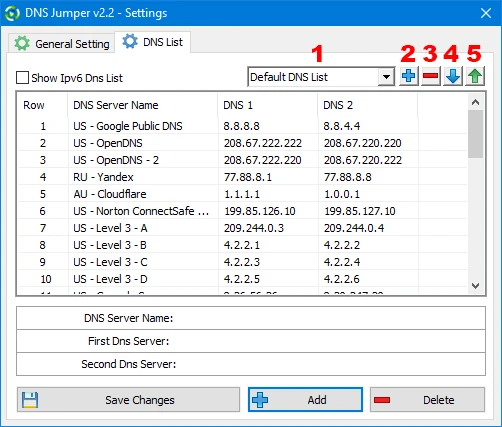
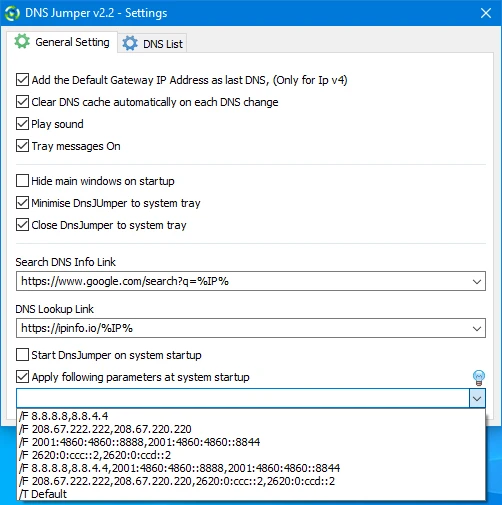
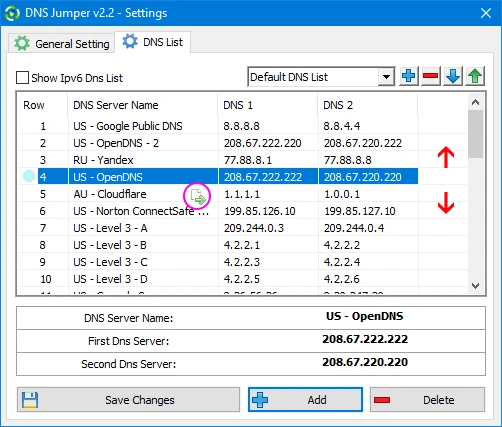
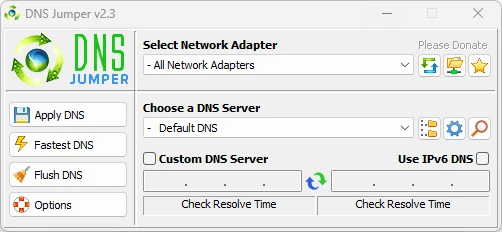
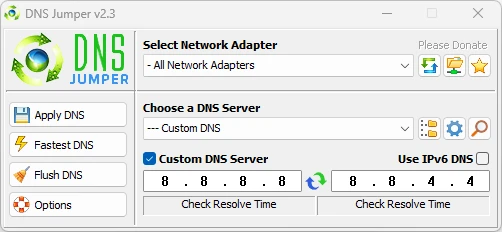
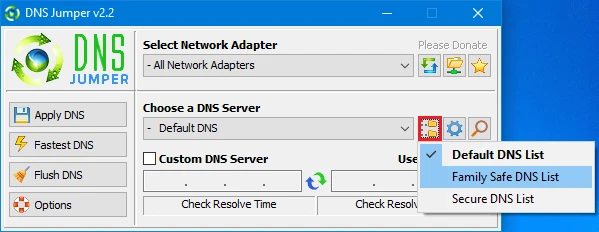
DNS Jumper 2.3 is a free portable Windows program from Sordum.org that changes your DNS servers in one click. You download DNS Jumper when you want to try different public DNS services, restore the default settings quickly or find the resolver that answers fastest from your connection.
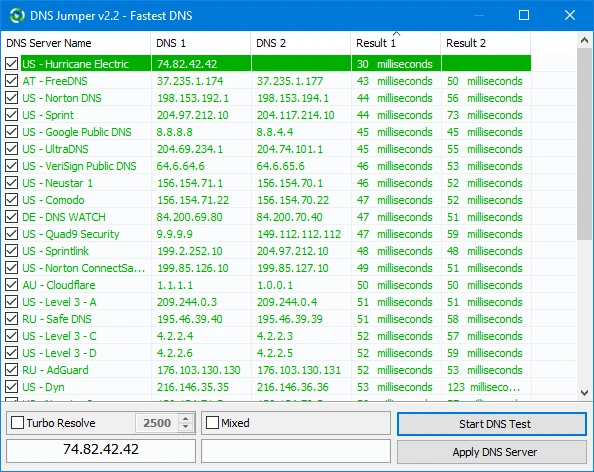
Changing DNS in Windows normally means opening network settings, finding the adapter, editing IPv4 and IPv6 properties and typing addresses by hand. DNS Jumper packs all of that into one window. It comes with a list of well-known public DNS services, grouped by purpose: plain speed, privacy, blocking of malware sites and family filtering. You select a service, pick the network adapter or apply it to all of them, and press Apply DNS; the change takes effect immediately. A Fastest DNS button pings the servers in the list and sorts them by response time, so you can base your choice on your own connection rather than on someone else's ranking. The program can also flush the DNS cache, add your own servers to the list and restore the automatic settings from your router with one click, which is useful when a public resolver causes trouble on a work or school network. Sordum describes the tool on its DNS Jumper page.
DNS Jumper runs on Windows and needs no installation or extra runtimes. It keeps its settings next to the executable, so it can live on a USB stick.
The tool itself only changes network adapter settings that you could change manually. The important choice is the DNS provider: it sees the names of all sites you visit, so prefer services with a clear privacy policy. Some antivirus programs warn about system tools that change network settings; download only from sordum.org to be sure you have the original file.
DNS Jumper is free; Sordum accepts voluntary donations.
After switching DNS, flush the cache and restart the browser. If a site does not open with a filtering DNS, it may be blocked on purpose by that service; switch back to test.
DNS Benchmark on our site runs a deeper comparison of resolvers. Technitium MAC Address Changer covers other adapter settings, and WinMTR helps when the problem lies in the route rather than in DNS.
SHAREit is a free Windows app from the SHAREit Team for moving photos, videos and documents between a PC and a phone. The current version is 5.1.0.7.

Zapya for Windows is a free file transfer app from DewMobile for moving files between a PC and phones over a local wireless connection.

Easy Connection to Screen is Samsung's Windows app for showing a PC's screen on a compatible Samsung TV over a wireless connection.

Internet Download Manager (IDM) is a shareware download manager for Windows from Tonec that accelerates, resumes and schedules downloads.

uTorrent (μTorrent) is a small BitTorrent client for Windows from Rainberry (BitTorrent Inc) for downloading and sharing files over torrents.

AnyDesk is a remote desktop application for connecting to and controlling another computer over the internet, from a small Windows program.

ShareMe is Xiaomi's free app for sending files between devices without a cable; on Windows the Android app runs only inside an emulator.

Xender is a free file sharing app from the Xender File Sharing Team for sending files between phones and computers over a local connection.